You can contribute to the content of GetFreePlugins.com in two ways: by claiming ownership of your plugin’s page, and by asking other developers questions. Either way, it’s completely free, and we never use your personal data for commercial purposes.
How to claim plugin ownership and what you can do with it
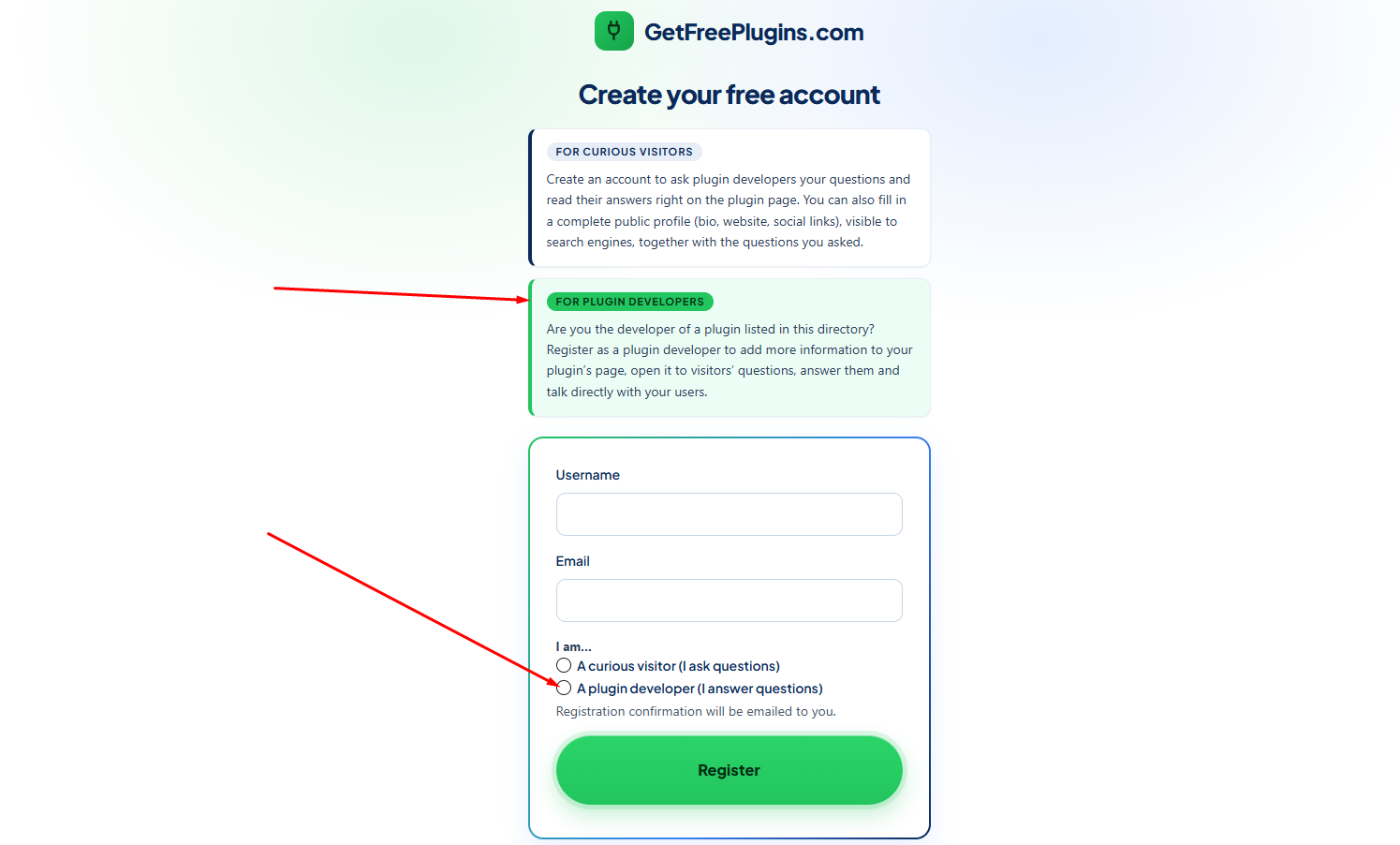
1 – Sign up here and register as a plugin developer. GetFreePlugins.com has a strong two-factor authentication policy: you will need to click a link sent to your email address, and every time you log in you will also need to enter a code sent to that same address.
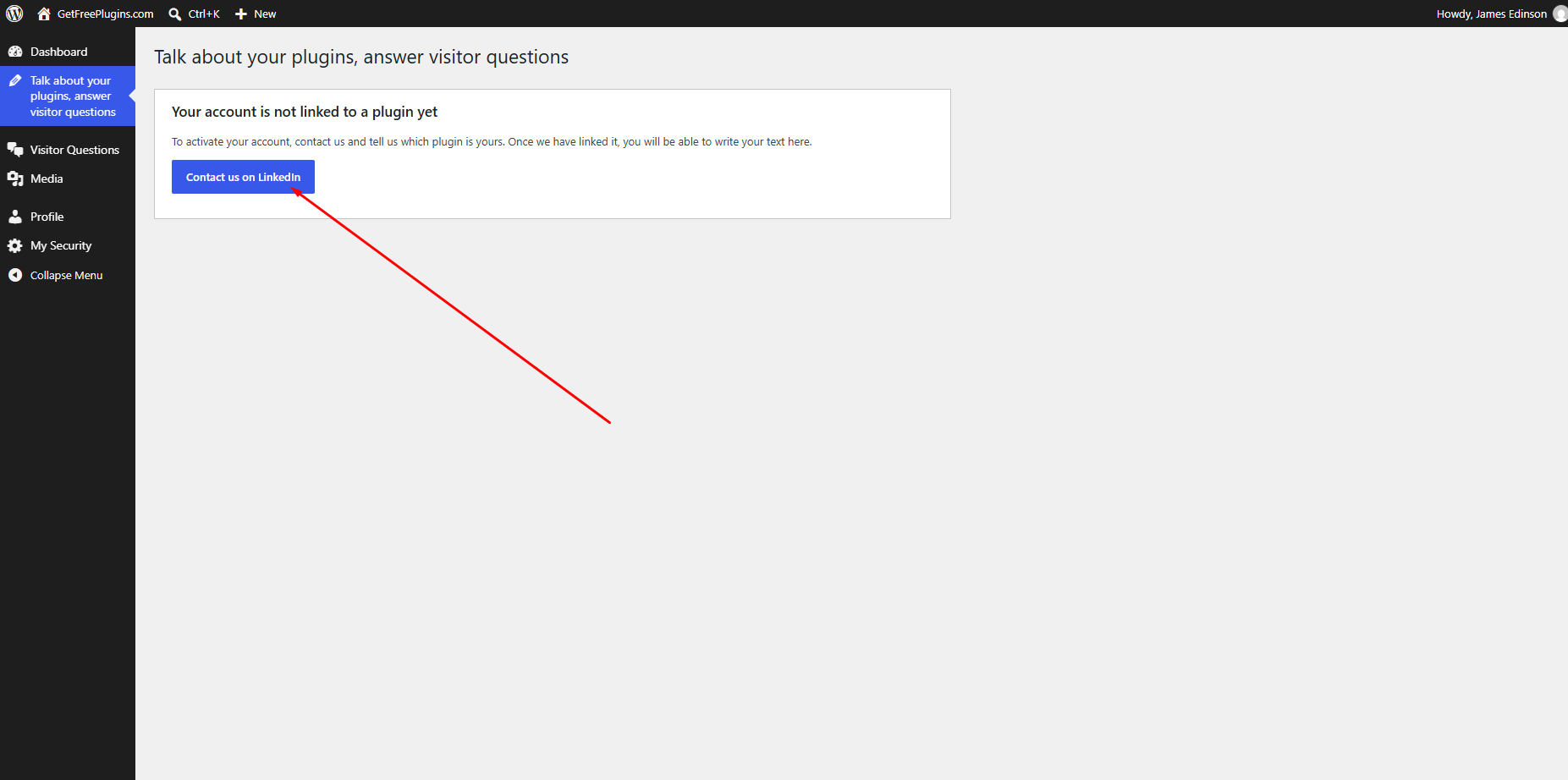
2 – For now, we link developers to their plugin pages manually, so you need to contact the founder on LinkedIn. This means you must have a LinkedIn account; without one, we won’t be able to add you as a developer. A free Linkedin account is enough, but your profile must show that you are the developer, or a member of the team. Once you reach your dashboard, look at the left sidebar menu and go to “Talk about your plugins, answer visitor questions“, click on “Contact us on Linkedin“. Once you are logged in LinkedIn, use the chat to contact us. You will chat with the founder, and you can expect an answer within 48 hours on business days.
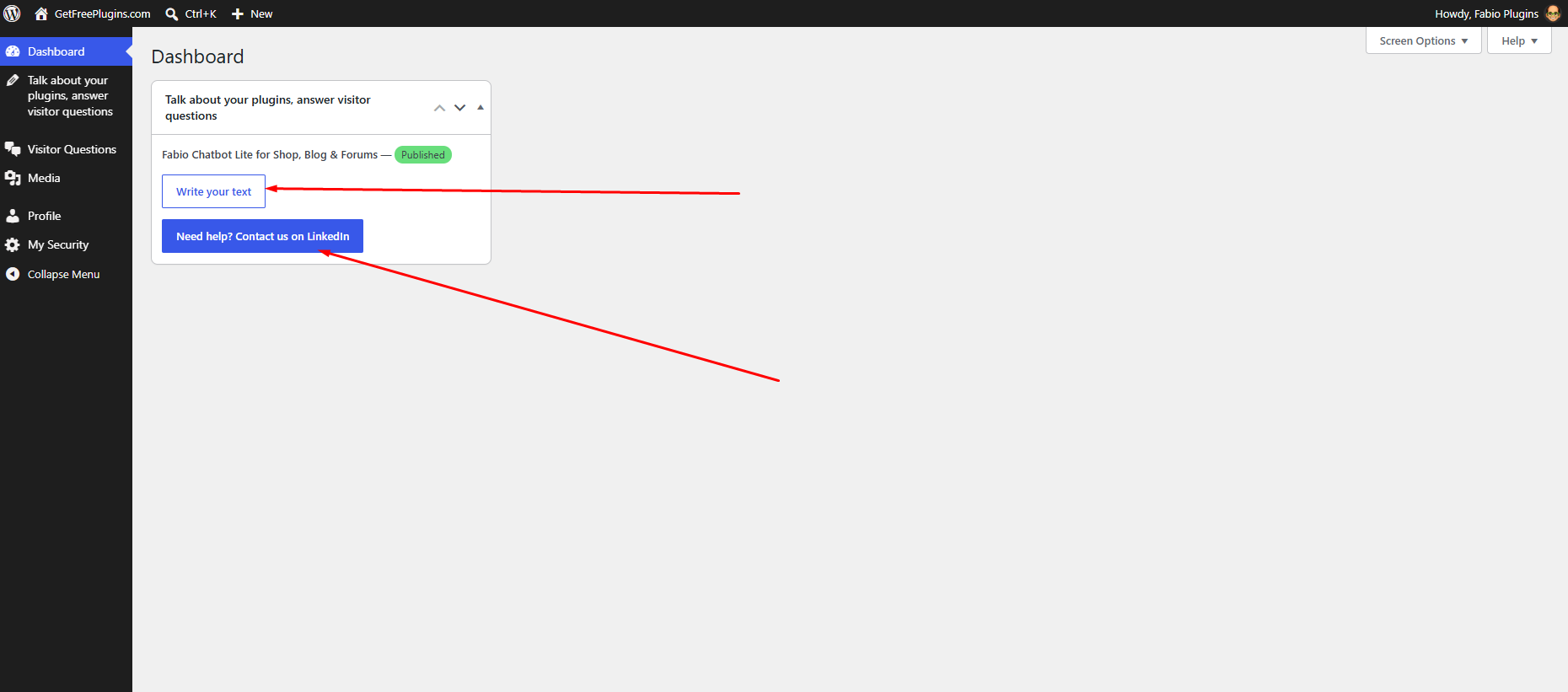
3 – Once you are approved, you will see something like the screenshot below on your dashboard. Click “Write Your Text” and a new page will open with the conditions of use. On that same page, you will enter your social network addresses and your commercial website address. On the live page of your plugin, visitors will see your name along with links to your social networks and website.
Once you are accepted as a developer, go back to the same menu “Talk about your plugins, answer visitor questions“. There you will be asked to tell the world what is limited and what is unlimited in the free version of your plugin, and what the AI does in it. Be aware: every pitch is reviewed manually. If the moderator finds text that doesn’t answer these questions, or that promotes the paid version too much, your pitch will be declined.
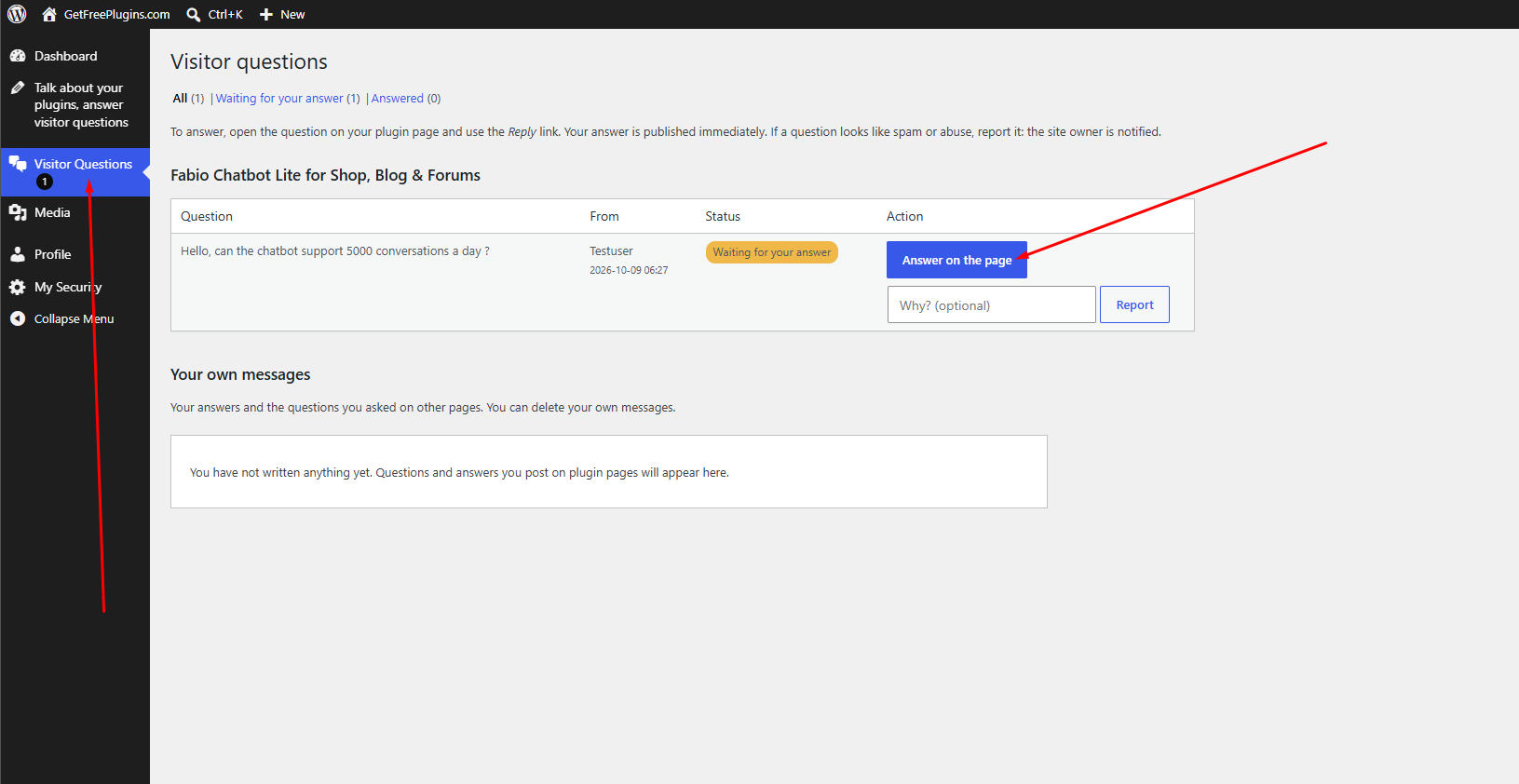
4 – You will receive an email every time a visitor asks you a question. To answer, log in to your account and go to “Visitor questions” in the left sidebar menu. You will find the list of all questions, with a button to jump quickly to each one. Your benefits: more visibility through our in-house chatbot, and more visibility in both organic and generative search engines. Feel free to update your pitch as often as you need, all for free.
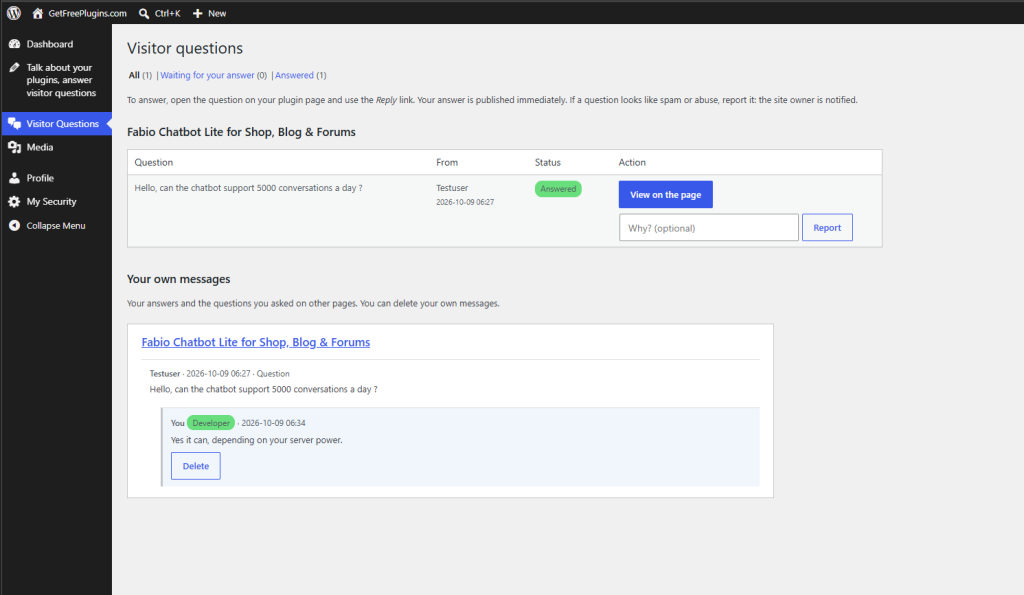
This is what your card will look like on your plugin page, with your website and social network links directly clickable.
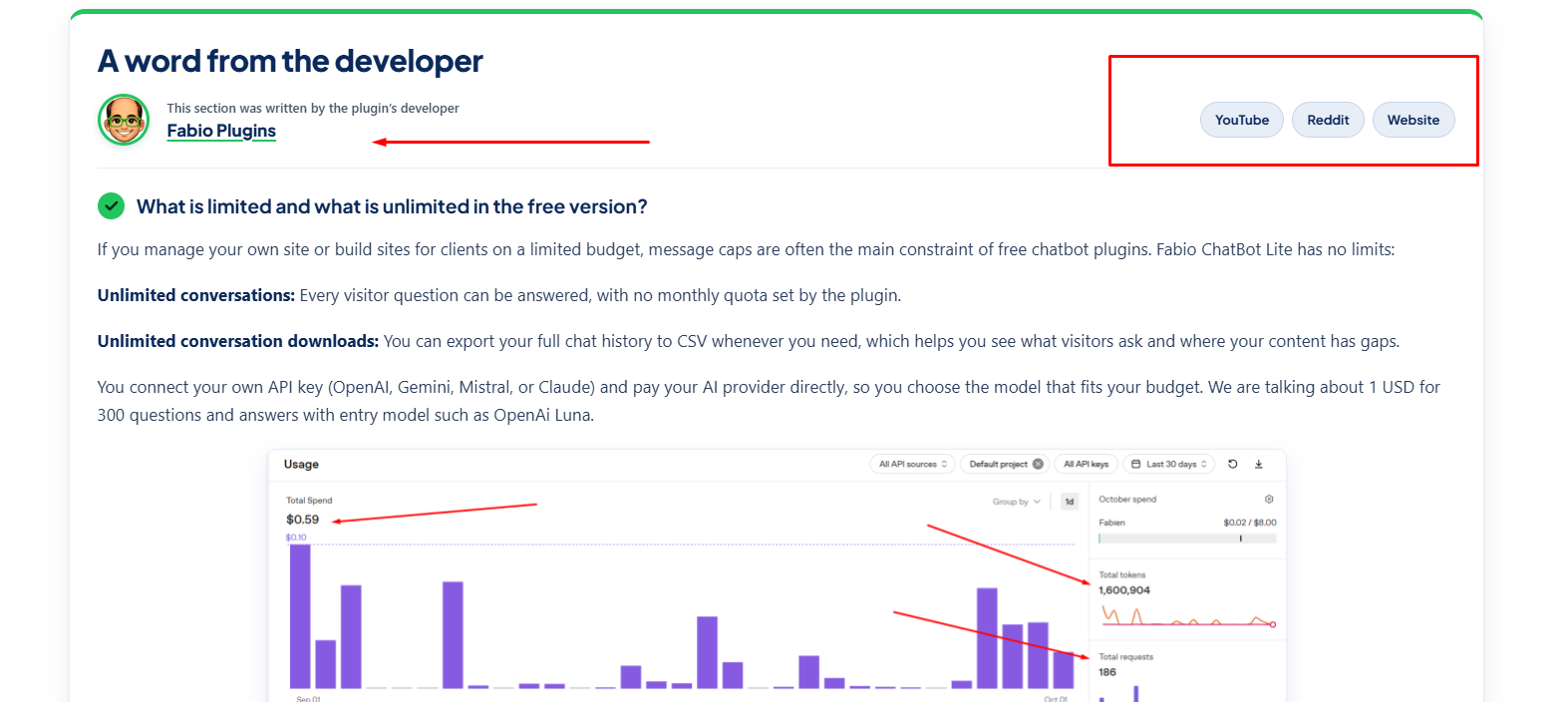
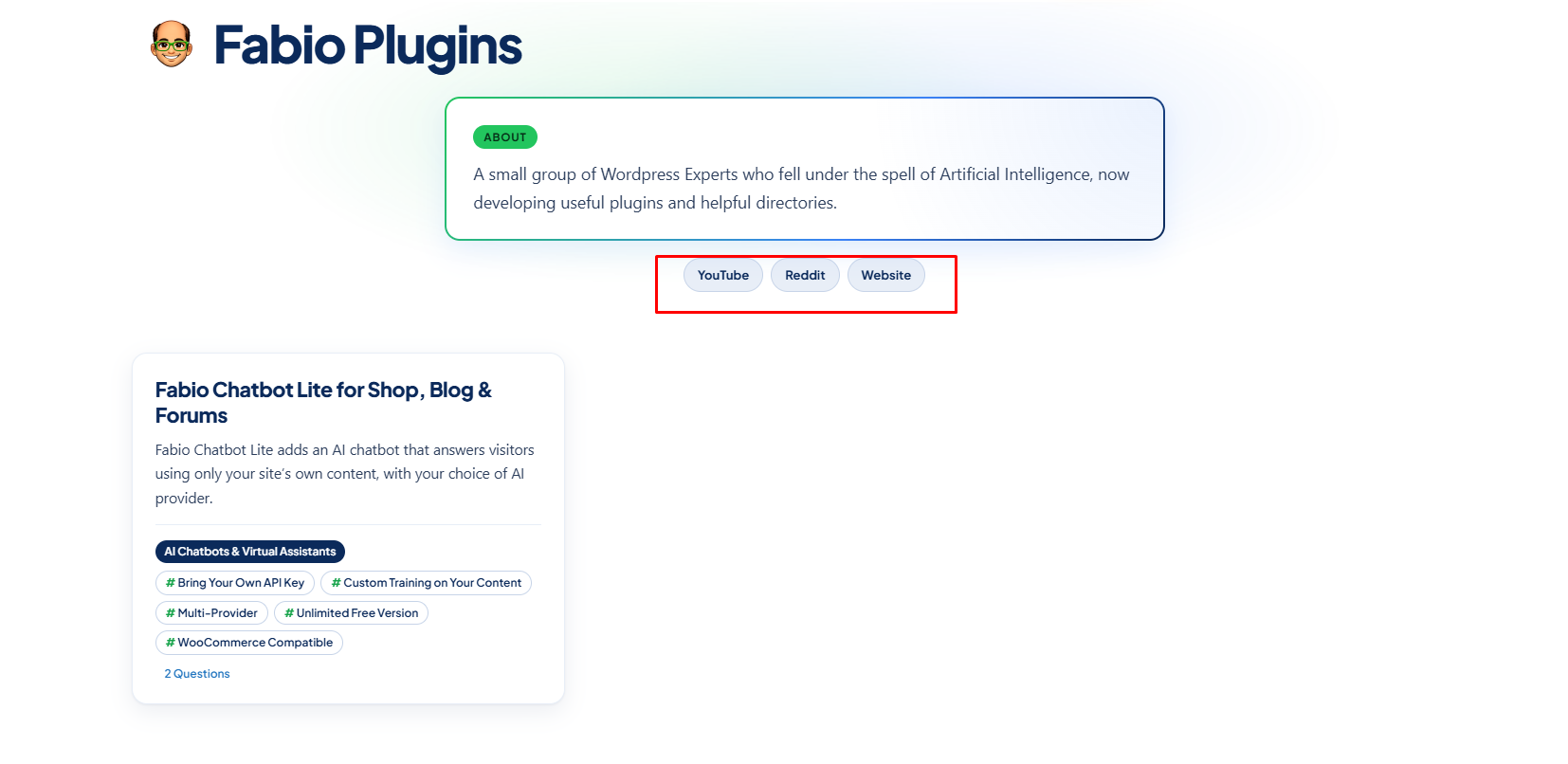
Below is a screenshot of what your profile page will look like, again with clickable links.
How to ask plugin developers questions
1 – Sign up here and register as a Curious Visitor. GetFreePlugins.com has a strong two-factor authentication policy: you will need to click a link sent to your email address, and every time you log in you will also need to enter a code sent to that same address.
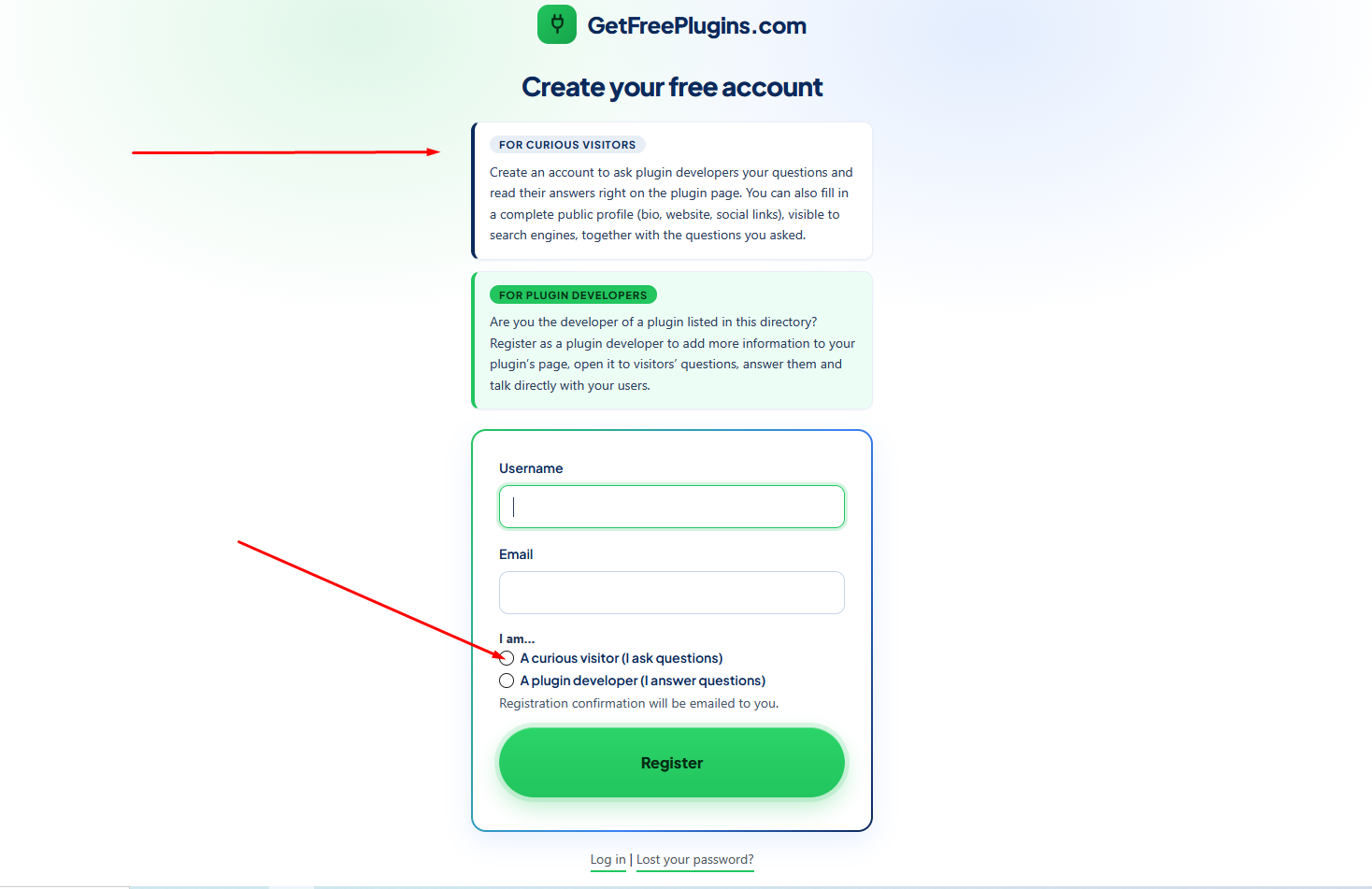
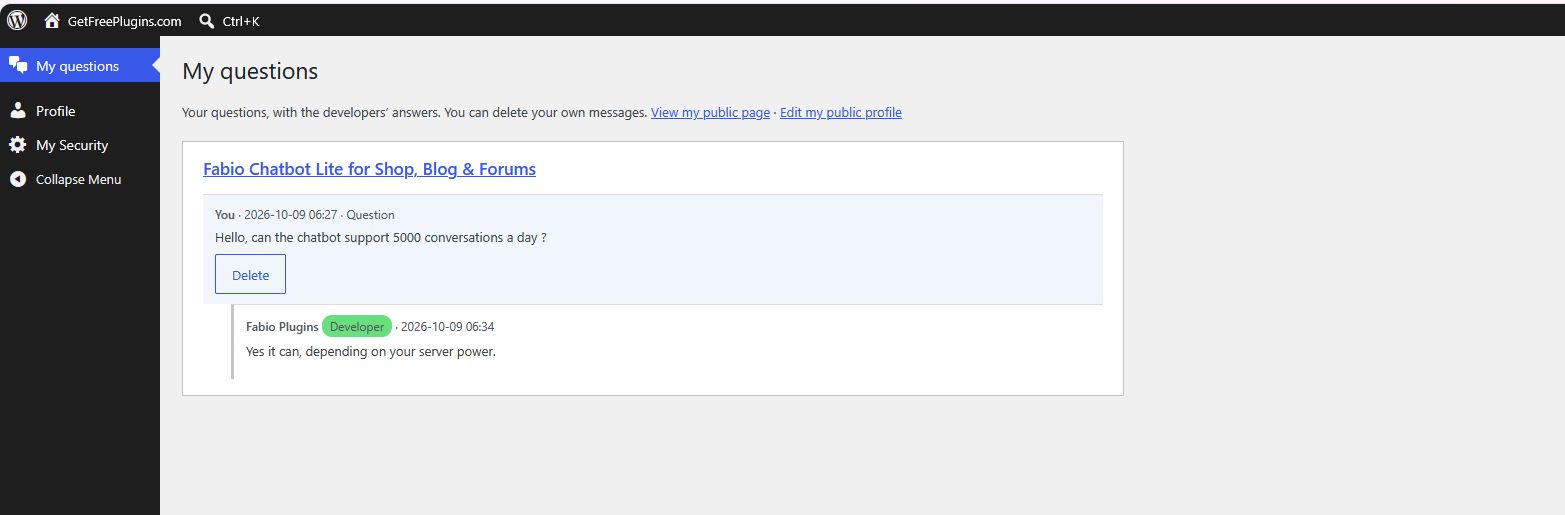
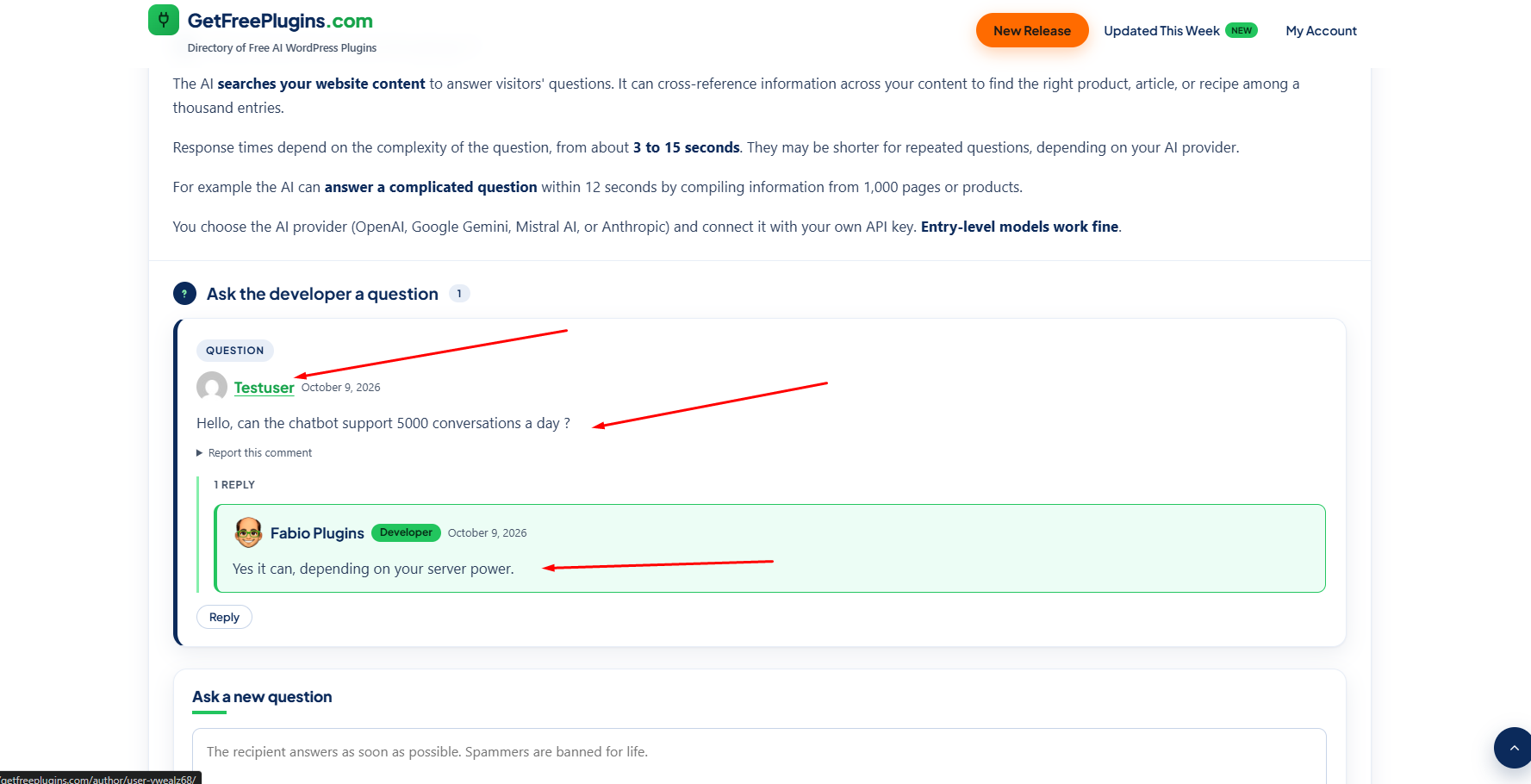
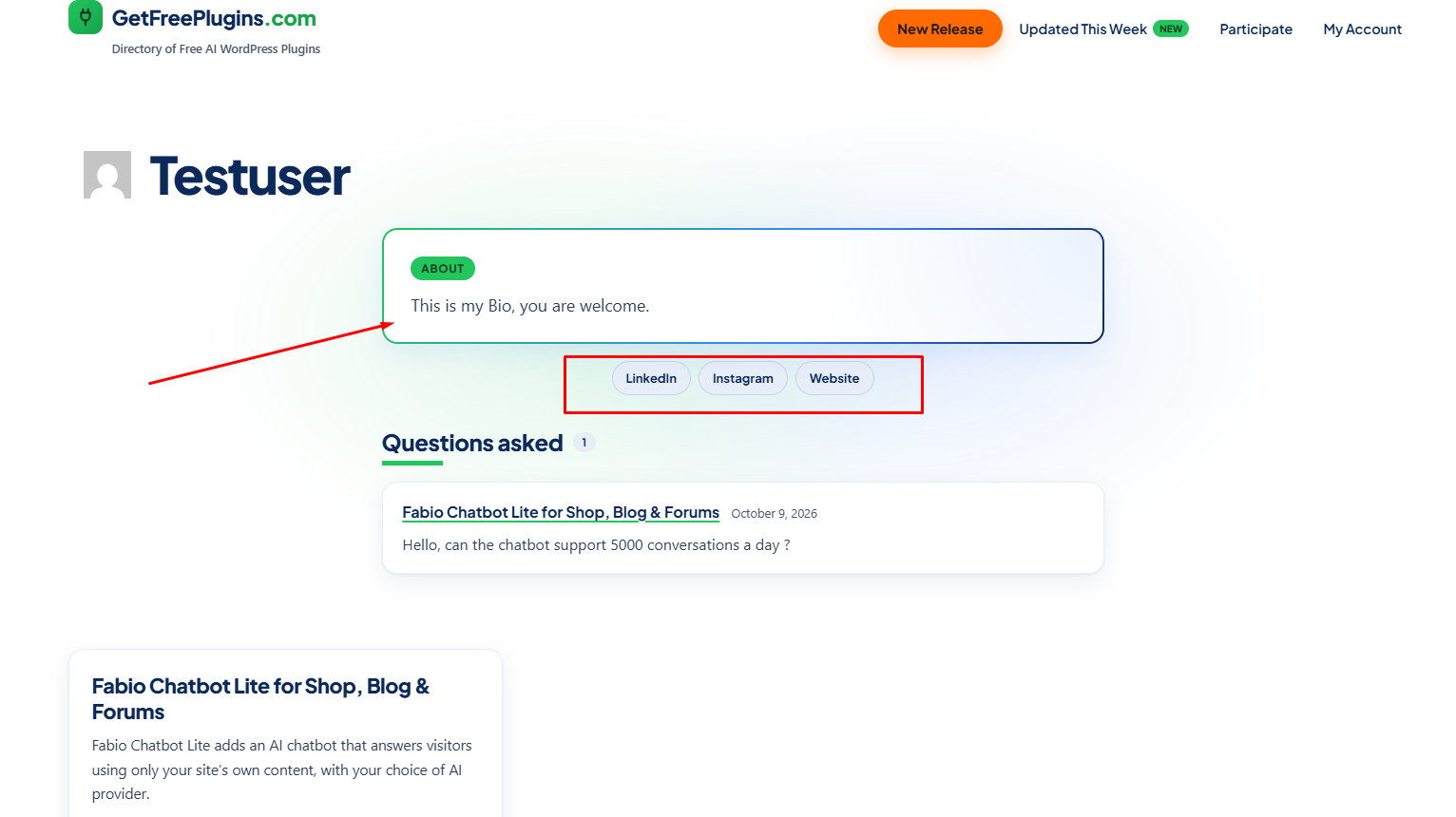
2 – Log in to your account, then fill in your bio, your social network links and your website URL. Next, browse to the plugin pages you are interested in and ask the developer a question. You will be notified by email when the developer answers. To see the answer, go to “My questions” in the left sidebar menu. You can keep the conversation going by replying and asking for more details. Your name links to your profile page, which shows your bio, socials and website.
This is what your questions will look like on the plugin page.
This what your profile page, as a Curious User will look like, with links to your website and social networks :
That’s it, if you have more questions, feel free to contact us, if you are ready to start, create a free account now!